Android mobile application
Timely Event Management App
Timely is a mobile event-tracking application designed to help students, professionals, and busy individuals organize and manage their schedules efficiently. Its clean, user-centered interface makes it easy to create, view, edit, and manage events.
- Java
- Android Studio
- SQLite
- XML
- JUnit
Overview
Building a functional, user-centered mobile experience
This project demonstrates my ability to design and develop a functional mobile application while applying user-centered design principles and mobile development best practices.
Data foundation
Two focused databases
User accounts
Stores credentials and supports user authentication.
Events
Stores and manages scheduled activities across calendar views.
Project goals
A simple and effective scheduling tool
The primary goal of Timely was to make personal scheduling fast, clear, and dependable. The application enables users to:
- Keep track of upcoming events and activities
- Easily create and manage personal schedules
- Receive reminders for important events
Features & user interface
Four core application experiences
Authentication Screen
- Combined login and account creation
- Registration for new users and sign-in for returning users
Event Grid Screen
- RecyclerView-based event display
- Daily, weekly, and monthly calendar views
- Tap an event to edit it
- Long press an event to delete it
Add Event Screen
- Accessible from a floating action button
- Event title and description fields
- Date picker and start and end time selectors
- Event types for appointments, meetings, tasks, and more
- Save and cancel actions
Notification Settings
- Optional SMS notifications for upcoming events
Interface gallery
Timely in action
The application uses a consistent visual system across authentication, event management, calendar navigation, and reminder settings.
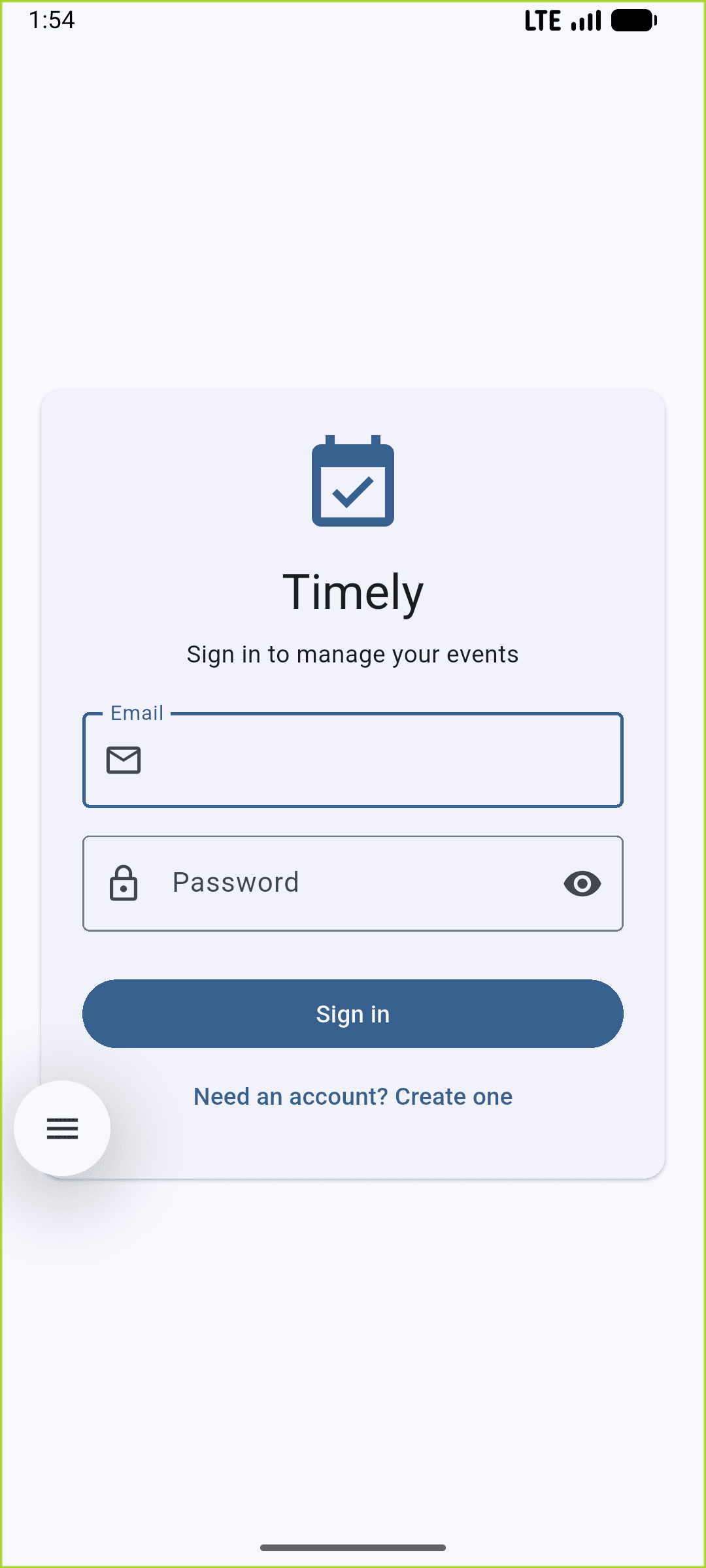
Sign in
Account authentication and registration entry point.
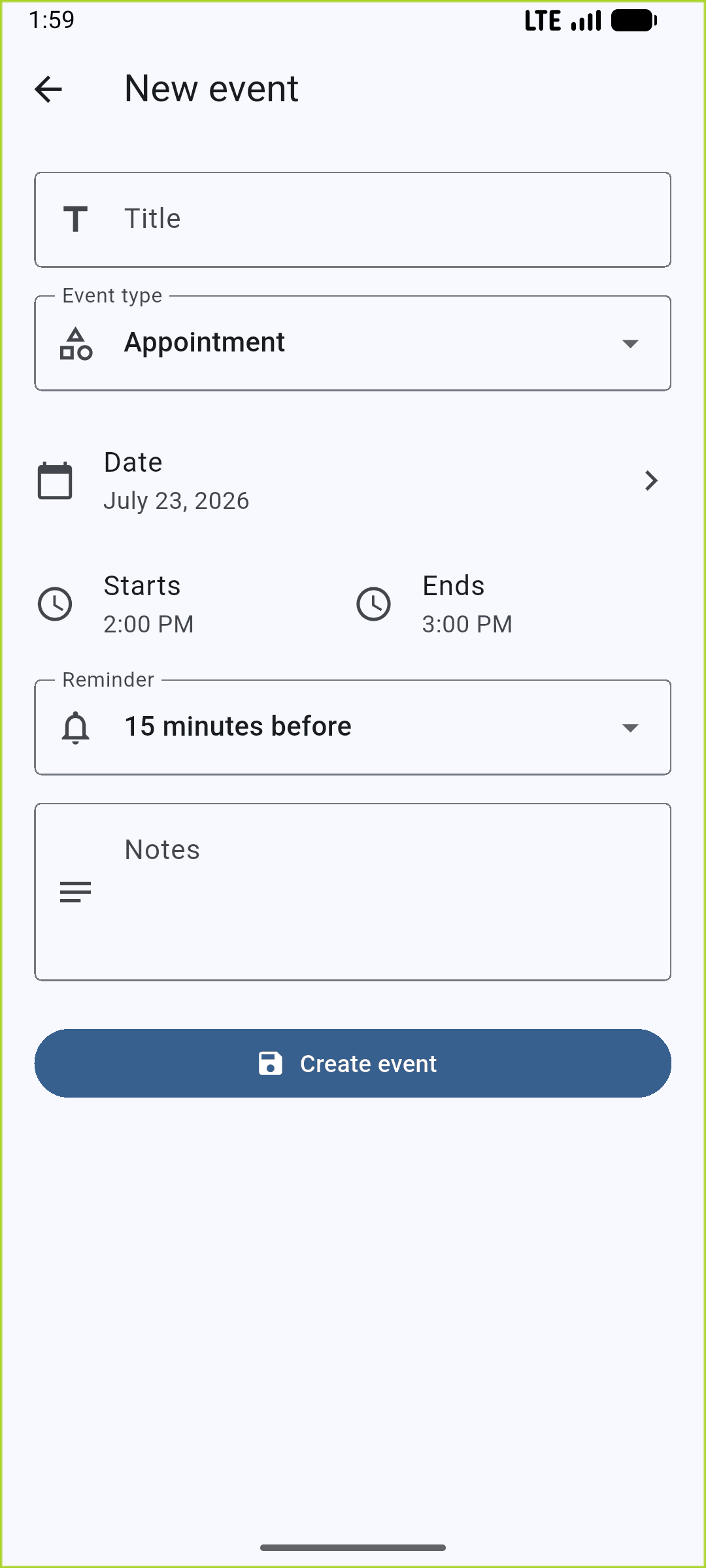
Create an event
Event details, scheduling, reminders, and notes.
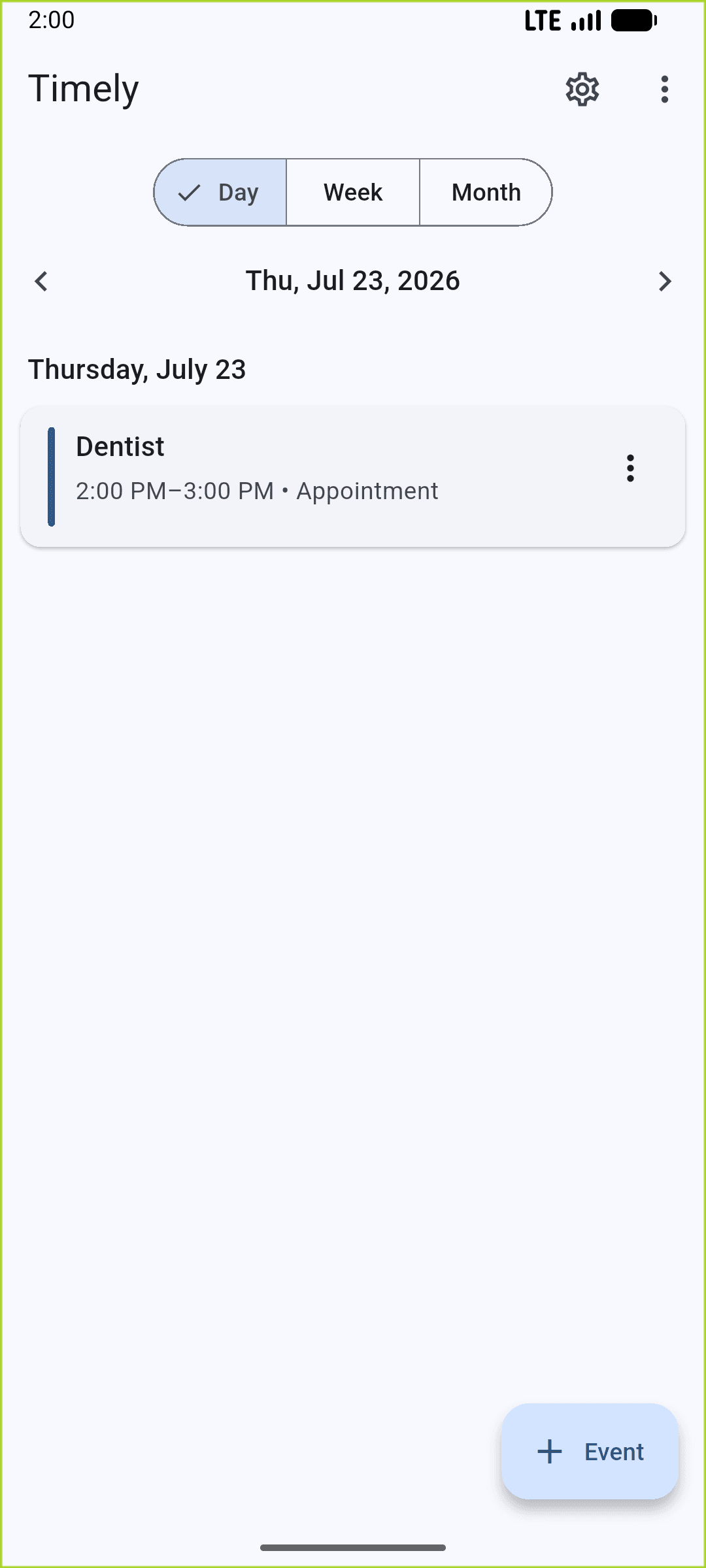
Event grid
Daily, weekly, and monthly schedule navigation.
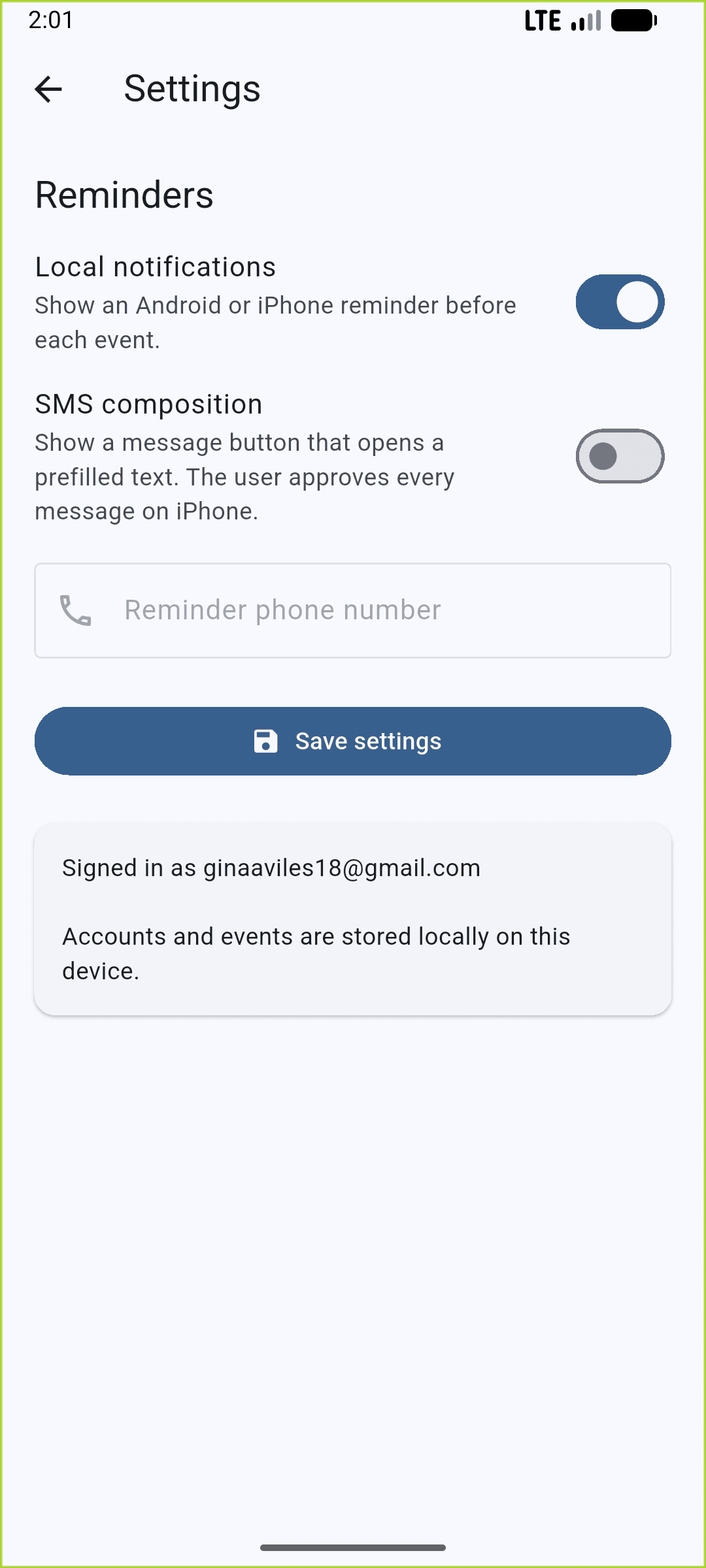
Reminder settings
Controls for local and SMS-based event reminders.
Design approach
Clear, familiar, and easy to navigate
The interface follows user-centered design principles and Android best practices so users can understand the application without confusion.
- A clean, minimal layout that reduces cognitive load
- Consistent spacing, padding, and visual grouping
- Intuitive navigation and interaction patterns
Development approach
Research, implementation, and iteration
- Researched Android development best practices
- Explored and implemented appropriate classes and components
- Built features iteratively based on project requirements
This process helped me select effective tools and structures for each part of the application. The same strategies transfer well to future projects involving unfamiliar frameworks or requirements.
Testing & validation
Confirming reliable user flows
- Tested user flows for login, event creation, editing, and deletion
- Verified RecyclerView updates and filtering behavior
- Checked data persistence across sessions
Testing identified bugs early, supported a smoother user experience, and confirmed that each feature worked as intended.
Challenge & solution
Filtering one event grid across multiple views
One of the most challenging parts of the project was implementing a RecyclerView with daily, weekly, and monthly filters. I broke the problem into smaller components, tested the filtering logic incrementally, and refined the interface updates until each view displayed accurate data.
Key accomplishment
A dynamic event grid that connects design with data
The component I am most proud of is the dynamic event grid. It efficiently displays events across multiple time-based views and supports intuitive editing and deletion. This feature demonstrates my ability to integrate thoughtful interface design with functional data handling.